Showing posts with label Windows 10. Show all posts

Friday, August 17, 2018

Windows 10

By Carl Stewart as presented on August 9, 2018


Common Keyboard Shortcuts
Press this key
To do this
Ctrl + X
Cut the selected item
Ctrl + C (or Ctrl + Insert)
Copy the selected item
Ctrl + V (or Shift + Insert)
Paste the selected item
Ctrl + Z
Undo an action
Alt + Tab
Switch between open apps
Alt + F4
Close the active item, or exit the active app
Windows logo key + L
Lock your PC
Windows logo key + D
Display and hide the desktop
Ctrl + A
Select all items in a document or window
Ctrl + D (or Delete)
Delete the selected item and move it to the Recycle Bin
Ctrl + R (or F5)
Refresh the active window
Ctrl + Y
Redo an action
Esc
Stop or leave the current task

Press this key
To do this
Windows logo key 
Open or close Start
Windows logo key + A
Open Action center
Windows logo key + B
Set focus in the notification area
Windows logo key + E
Open File Explorer
Windows logo key + H
Start dictation
Windows logo key + I
Open Settings
Windows logo key + L
Lock your PC or switch accounts
Windows logo key + M
Minimize all windows
Windows logo key + S
Open search

Source:

Thursday, August 2, 2018

Windows 10 Tips

By Elaine Drain

Monday, July 9, 2018

Customizing Windows 10

Other topics in this brief:

  • Is that email from "Microsoft OneDrive" real?  (Yes - but here's how to check.)
  • What does it take to turn a VHS taped video into a DVD Movie disk?

Our headliner was, "How to personalize or customized Windows 10 to your liking?"


Links of note:
  • Windows 10 Customization's Handout <link>
  • The Cheapskate: How to reduce your Cable Bill by hiring a negotiator.  <link>
  • How To Geek: How to fix all Windows 10 annoyances <link>
  • Bloom's preferred Video Capture Device and software, the Elgato <link>


Saturday, June 25, 2016

Envy Part 4, Win10 part 2, & Favorite Websites

Our HP Envy Desktop Part 4: SSD installation
My Win10 Recommendation Part 2: Download & install
& lots of websites!


Rather than have links, here's are the *names* of the websites we looked at.  If it's not obvious what the URL is, Google 'em!

Strange Facts:  https://www.factslides.com
Gizmo's Freeware:  my choice for finding free software and reviews thereof
My Home pages:  Twistedsifter, Woot, Xkcd, Joy of Tech, and Yahoo Tech
Good Computer Help:  HowToGeek, SevenForums, AskLeo
Shopping:  Amazon, Monoprice, NewEgg, Woot & TigerDirect

Friday, February 12, 2016

Windows Accessories

Helen Browne and Bob Bloom (sorta) collaborated on:
  • WordPad and Notepad
  • Calculator
  • Snipping Tool
  • Disk Cleaner / Ccleaner / Cleanup!
  • Disk Defrag / Auslogics Defrag

Thursday, August 20, 2015

Windows 10: Before, During and After

A new record!  We had *87* people attending this presentation.  We apologize for those that that may have got stuck in the back; had we known that so many were coming we would have not set up all the tables to have more room.

This was a presentation on:
  1. Getting ready for Windows 10,
  2. The process of installing Windows 10, and
  3. Some of this things you should look for after installing Windows 10
I had 87 slides in this presentation, and naturally, did not get to show them all.  All are included below, although I'll probably also show them in a future presentation.

Part 1 - Getting ready.  This part was mainly how to make an image backup of your computer using either the built-in Windows 7 or 8 tools, Acronis True Image, or Macrium Reflect free.  Although most of the Windows 10 installs have been error-free, and those that weren't corrected themselves, it's always nice to have a safety net and insurance if all goes bad.  A good image backup is that safety net.
Part 2 - Installing and Configuration.  I've done 4 upgrades so far, one of these live during this presentation.  It took 1 hour, 20 minutes on a 6.5 year old laptop - and completed seemingly without error.  (Give me time to check all the applications before pronouncing it done!)

Friday, July 24, 2015

A News & Q&A Day

Today's Topics:
  • Breaking News:  The OPM Hack included Fingerprints, The Hacking Team was Hacked, the Chrysler car Hack, Windows 10 is almost here, and MSE on XP is no longer.
  • A follow-up to last week's Phish, find out how it worked
  • Part two of Imaging - needed before you take the Windows 10 plunge
  • And 10 questions from the audience

Thursday, July 16, 2015

More Bytes

Topics of the day:
  • iTunes Demo - Podcasts (Continuation of last week)
  • Internet Music (How to Get and save it)
  • Talk to Google (New Feature built-in to Chrome)
  • Firefox & Tracking (eliminate tracking and speed up your browsing)
  • Windows 10 Demo (finally got it to work)
  • Best AntiVirus (ymmv!)

Saturday, July 4, 2015

Bob's Bytes

This Week's Topics:
  • My Birthday Gifts: a new Laptop and my first ever Smart Phone.  My Experiences and Observations
  • More Windows 10: How to reserve a copy, Should you reserve a copy, Should you 'upgrade' at all, and Getting rid of that Windows 10 notification.
  • PodCasts & iTunes:  A great combination whether or not you have a Apple device.


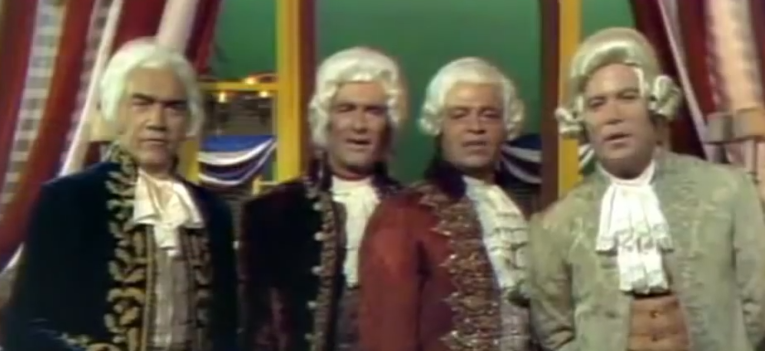
Here's a link to the popular John Wayne's "God Bless America" video:  <link>
The 1970 TV special from which that song is from is available at Amazon:  <link>

I made a list of almost all the actors in that video, but I didn't know a couple - can you help?

Lorne Greene ?Forrest Lewis? ?Ross Martin? William Shatner

 ?Hal Williams?  ?Celeste Holm?  ?child?  Dennis Weaver

 ? + ?Edward Faulkner?


Sunday, January 18, 2015

The First Q&A of 2015

Topics discussed:

  • How to download Videos?
  • Our Opinion of “WinCleaner”?
  • Free AntiVirus Programs Opinions 
  • Free Microsoft Office?
  • What’s my Password?
  • Should I Install Windows 10?
And from last week

  • Some Pointers on backing up System Files
  • Are Tablets safe from Crapware?
  • How to set Defaults in MS Word